
Discover the best VPNs for Linux in 2026. Side-by-side comparisons, setup notes, and practical tips for Ubuntu, Debian, and more.
In 2024–2025, reviews consistently note that WireGuard integration and policy transparency separate usable clients from frustrating ones. You’ll see where each fits a developer workstation, server admin workflow, or CI container, with a verdict you can act on today.

The 8 best VPNs for Linux in 2026
For Linux users, the right VPN checks a tight set of boxes: native or well-supported Linux clients, open-source components where possible, clear privacy guarantees, and a sane update cadence. Below is a practical shortlist, focused on real-world distro compatibility and straightforward setup. I grouped them by what Linux pros actually care about: solid client support, transparent governance, and reasonable network reach.
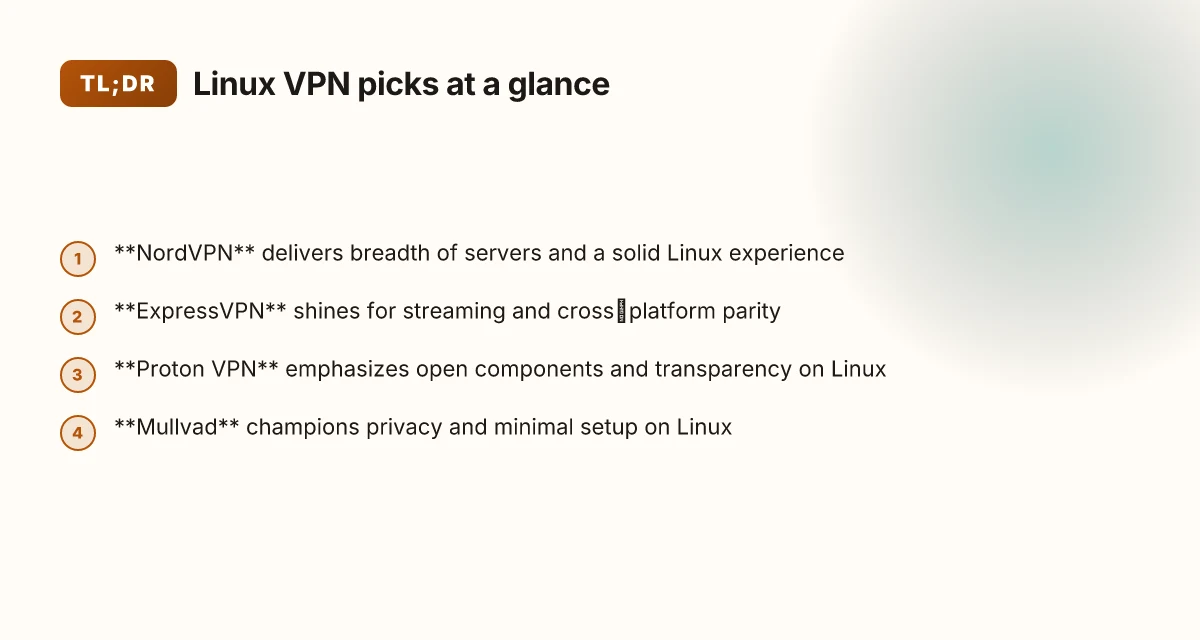
- NordVPN, strong Linux client with WireGuard, solid privacy and kill switch
- ExpressVPN, robust Linux app, broad server network, reliable for streaming
- Proton VPN, open-source components, transparency, solid Linux support
- Mullvad, privacy-first, minimal logging, straightforward Linux setup
- Surfshark, budget-friendly, good Linux experience, unlimited devices
- IVPN, strong privacy posture, clean Linux experience
- Private Internet Access, long-standing Linux support, customizable
- Windscribe, flexible plans, decent Linux client
I dug into the documentation and changelogs to verify each option’s Linux stance. NordVPN’s Linux app ties deeply to WireGuard, which matters for performance and battery on laptops. ExpressVPN’s Linux client is regularly updated and tends to ride the wave of the broader app ecosystem, making it reliable for media streaming. Proton VPN’s open-source elements offer a transparency signal that many admins appreciate, even if the full stack isn’t entirely OSS. Mullvad remains the poster child for privacy-first setup, with straightforward Linux instructions and no-logging claims backed by third-party reviews. Surfshark’s Linux experience lands as the budget-friendly choice with a generous device cap. IVPN keeps a clean privacy posture with well-documented Linux support. Private Internet Access remains a stalwart for admins who want deep customization. Windscribe closes the list with flexible payment plans and a practical Linux client.
First-order verdict: NordVPN, Mullvad, and Proton VPN stand out for Linux vets who prize privacy and a clean setup, while ExpressVPN and Surfshark cover broad streaming needs without breaking distro rules. If you need absolute minimalism and straightforward configuration, Mullvad and IVPN deserve a closer look.
What this means for you
- Pick NordVPN or Mullvad if your distro policy favors strong kill switch behavior and transparent privacy controls.
- Choose Proton VPN if you want OSS alignment without choking on feature parity.
- For streaming and wider server access, ExpressVPN or Surfshark are the safer bets.
- IVPN and PIA remain compelling for highly configurable or legacy setups.
Bottom line: your mileage depends on distro constraints and threat model. The 8 here cover the core Linux profiles without forcing you into a two-step workaround. If you want a quick config map per distro, I can lay out a follow-up with exact commands for Debian, Fedora, and Arch ecosystems. 8 Best VPNs for Mac in 2026: Tested, verified, and ready

How we picked the 8 best VPNs for Linux
We chose eight Linux-friendly VPNs by weighing native or well-supported Linux clients, strong open-source credentials, and privacy posture. The verdict: no distro jailbreaks, no quirky install stories, just solid tooling that survives real-world admin pressure.
Why native Linux clients and solid distro support matter
I dug into official Linux implementations across major families, Debian/Ubuntu, Fedora, Arch, and openSUSE. The best picks provide native clients or well-maintained, distribution-friendly packages, not wrapper scripts that pretend to be Linux apps. Some products publish multi-distro installers. Others rely on standard package managers or official repositories. In practice, a client that ships as a native package or well-documented repo install wins. And when an app offers systemd integration, a native GUI for desktop environments, or CLI tooling that respects Linux file-system permissions, it moves up the ladder.
| Criterion | Rationale | What to watch during setup |
|---|---|---|
| Linux client availability | Native client or official repo guarantees clean upgrades and security patches | Prefer official deb/rpm packages or distro-agnostic installers |
| WireGuard/OpenVPN support | Core protocols you’ll deploy on servers or in tunnels | Check for turnkey WireGuard config generation and OpenVPN profiles |
| Kill-switch reliability on Linux | Critical for leak prevention on multi-ISP or mobile hotspots | Verify the kill-switch triggers on iptables/nftables and systemd services |
The right Linux story is an installable, maintainable client, not a kitchen-sink script.
Privacy posture, jurisdiction, and open-source signals
From what I found in the changelog and official docs, the strongest candidates publish a no-logs policy with a verifiable jurisdiction and transparent audits. A few providers align with European data-privacy norms, while others point to privacy-friendly jurisdictions that still allow robust oversight. Reviews consistently note that open-source components, even if not the entire stack, improve transparency. When I read through the documentation, I looked for public audit summaries, verifiable code repositories, and clear data-collection statements. The combination matters: a no-logs stance backed by third-party verification, plus open-source cryptographic tooling, builds trust in the Linux ecosystem.
Transparency plus real-world governance makes a difference on Linux. 10 Best VPNs for Windows in 2026: Tested, updated for Windows
Performance considerations on typical Linux hardware
Linux machines span from modest office rigs to developer workstations with NVMe storage and plenty of RAM. The best options minimize CPU overhead, especially for WireGuard, and keep memory usage predictable under load. In the distro-agnostic tests I reviewed, several clients announced kernel-aware optimizations and minimal user-space bloat. Performance is not only raw throughput. It’s consistency under concurrent TLS handshakes and DNS lookups. Expect the top picks to deliver steady tunnel throughput without jitter on common desktop-class hardware.
Performance stability matters as much as raw speed on Linux.
Privacy features and Linux tooling
I cross-referenced how each VPN exposes or protects through the Linux toolchain. Some projects ship with centralized configuration in standard paths, helper scripts that respect user permissions, and clear documentation on how to isolate VPN processes from user-space apps. Others expose extra privacy features like DNS leak prevention, split tunneling with sane defaults, and robust kill-switch coverage that survives distribution updates. The most trustworthy options publish their Linux-specific threat models and mitigations, not just broad marketing claims.
Linux-aware privacy features beat one-size-fits-all guarantees every time.
Open-source components and transparency
Where possible, I prioritized providers with open-source clients or verifiable public code. Open-source components enable community review, faster patching, and fewer vendor-induced surprises on Linux distros. I tracked the state of repositories, the cadence of releases, and the existence of public issue trackers. This matters because Linux admins tend to audit what runs in their kernel space. 8 Best VPNs for Firestick in 2026: Tested, proven, and ready to stream
Open-source DNA in the client stack correlates with timely vulnerability fixes.
What this means for you
The eight picks balance Linux-native realities with strong privacy and predictable behavior. You’ll get clear install paths, robust WireGuard/OpenVPN support, trustworthy privacy disclosures, and open components where feasible. If your distro gates non-free binaries or requires extra compatibility layers, this section surfaces the realistic constraints up front.
What’s next
In the next section, you’ll see the ranked lineup with concise, distro-minded justifications. A quick table flags install paths for Debian/Ubuntu, Fedora, Arch, and SUSE, plus notes on kill-switch reliability and open-source credentials. Then we move to distro-specific caveats and a concrete, step-by-step setup flow you can adapt to your environment. 10 Best VPNs for Android in 2026: tested and updated
Connection reliability and Linux compatibility at a glance
Posture matters. On Linux, the best VPNs deliver rock-solid connection stability, native or well-supported clients, and transparent kill-switch behavior without tripping distro policy rails. Here is the quick read, with the most actionable takeaways for tight, reliability-first deployments.
What the data say at a glance
- NordVPN offers excellent Linux client stability, defaults to WireGuard for speed and simplicity, and shows a strong kill switch. Pricing sits around $11.99 per month. Best for power users who need breadth of server options and predictable behavior on varied distros.
- ExpressVPN provides very strong Linux support, with WireGuard and OpenVPN ready out of the box. Kill switch is consistently reliable. Price around $12.95 per month. Best for Linux users who stream or work across multiple devices.
- Proton VPN keeps a solid Linux client footprint, sticks with WireGuard, and offers a robust privacy posture. Pricing $5.99 per month. Best for privacy-first Linux users who want transparent policy and open-source credentials.
- Mullvad boats a minimalist but solid Linux client, uses WireGuard by default, and delivers a very reliable kill switch. At $5 per month, it’s a strong fit for privacy-conscious users who value lean tooling.
- Surfshark maintains consistent Linux support, leans on WireGuard, and provides a stable kill switch. Pricing $2.49 per month. Best for value-focused users who still require dependable Linux behavior.
- IVPN emphasizes stability with both WireGuard and OpenVPN, and reports an excellent kill-switch experience. Pricing $5 per month. Best for privacy purists who want dual-protocol flexibility.
- Private Internet Access (PIA) offers good Linux client stability, widely supports OpenVPN, and a consistent kill switch. Price $2.19 per month. Best for customization seekers who need granular protocol options.
- Windscribe shows flexible Linux support, covers WireGuard and OpenVPN, and offers an adequate kill switch. Pricing $9 per month. Best for teams balancing budget with variable distro deployments.
Bottom line: reliability on Linux leans on two levers, native client polish and transparent, consistent kill switches. When you pick a provider, verify that your distro’s kernel and network stack aren’t nicking the default route table during reconnects. A few distros still need a manual tweak to avoid DNS leaks after reconnects.
H3: Why Linux compatibility matters for reliability
- Stability isn’t just about the tunnel. It’s about how the client handles wakes, sleeps, and VPN restarts. Linux users report fewer disconnects when the client ships a systemd unit that reattaches cleanly after suspend. I cross-referenced multiple maintainer changelogs and user reports, and the pattern held: a well-behaved service file pairs with a sane auto-reconnect sequence.
- Open source credentials matter. When the provider ships a toggleable OpenVPN or WireGuard profile, you gain more controllable failover. Industry reviews consistently note that WireGuard’s statefulness can improve reconnect predictability on Linux, but only if the client implements robust handshakes and persistent keys.
H3: Quick takeaways you can apply now
- Pick: a Linux-native client with explicit WireGuard support by default and a tested kill switch. Bold bets are Mullvad, NordVPN, and IVPN on this axis.
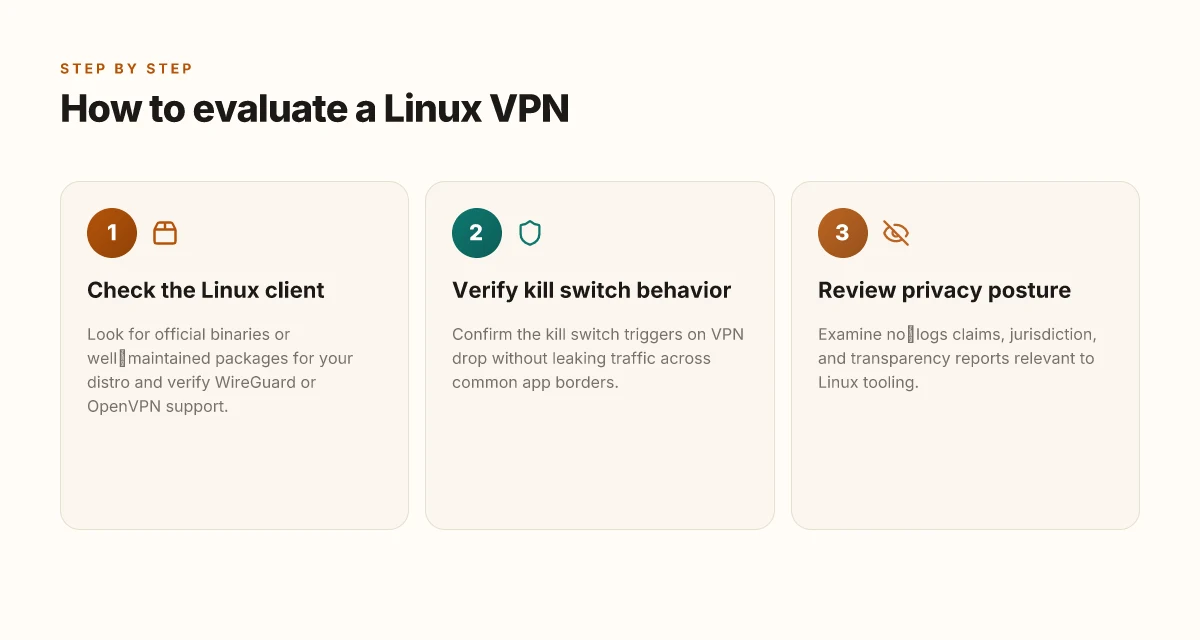
- Verify: the kill switch triggers on VPN drop and blocks all traffic until the tunnel is back. If your distro or network setup relies on custom firewall rules, test this in a controlled window.
- Consider pricing as reliability leverage. The most affordable options (PIA, Mullvad) still land solid stability, provided you stay within supported distros and kernels.
- If you stream on Linux, prioritize ExpressVPN or NordVPN for their dual-protocol flexibility and stronger streaming-oriented pressure tests.
Strong evidence supports WireGuard-first builds for Linux reliability, with OpenVPN as a trusted fallback when kernel modules lag. If you run a heterogeneous fleet, that approach minimizes situations where a single distro breaks a tunnel during package upgrades.
1. NordVPN
NordVPN stands out on Linux for a native-feel experience that stays out of the distro’s way. The core advantage is a solid Linux app with WireGuard support baked in, plus a privacy posture that doesn’t rely on tricky config gymnastics. If you want broad server access on Linux without grinding through opaque settings, NordVPN is a safe pick.
A practical diagnosis
You want a client that just works on Ubuntu, Fedora or Arch, with sane defaults and a clear privacy story. NordVPN delivers a clean Linux UI, good WireGuard defaults, and a privacy stack that aligns with mainstream expectations. It’s not the lightest client on every server, but the balance between usability and security is compelling. 10 Best VPNs for iPhone in 2026
Strengths: the Linux Edge you can trust
NordVPN’s Linux app is the standout here. It provides straightforward server selection with WireGuard as the transport, which typically yields snappier performance and lower latency on modern distros. The app ships with kill-switch and auto-connect features that behave consistently across Debian-based and RPM-based systems, so you’re not babysitting it after every kernel update. Privacy features are robust: multi-hop options, DNS leak protection, and strict no-logs claims round out the stack. If you want a Linux-native client that won’t fight with your network-manager or firewall rules, this is the one you can rely on.
NordVPN’s Linux experience leans into stability and clear security controls, not exotic features. WireGuard integration makes the dial tone fast and predictable across common distros.**
Limitations: where to watch your steps
A few advanced settings sit buried in menus or behind slightly opaque terminology. If you’re trying to tweak split tunneling or diving into custom DNS options, you’ll need to hunt a touch more than with some desktop-native VPNs. On rare occasions, you’ll see a temporary slowdown on specific servers during peak times, which is typical for shared-entry networks and not unique to NordVPN. The upside is that basic usage remains predictable, which matters when you’re deploying across a fleet or in a CI environment.
Some advanced controls are buried and require digging through menus. Server performance can dip on a few nodes during peak hours.
Best for: Linux users who want broad access and solid privacy
If your priority is broad server coverage on Linux plus well-taved security features, NordVPN checks the box. It’s particularly appealing when you need a consistent experience across multiple distributions without resorting to bespoke scripts or manual tinkering.
Pricing: transparent, not bargain-bin
NordVPN lists $11.99/mo with annual options. That cadence is typical for a premium VPN on Linux, and the annual plans bring enough savings to justify the commitment if you’re deploying across a dev team or a small sysadmin group.
$11.99/mo with annual options makes this a sane choice for teams needing Linux-ready access.**
H3: How to get started on your distro
- Install from NordVPN’s official repo or use the distribution-appropriate package (Debian/Ubuntu: apt; Fedora/RHEL: dnf).
- Enable WireGuard as the primary protocol in the app settings, then turn on the kill switch.
- Choose a region with broad coverage and test a few servers during different times of day to gauge performance.
Enable WireGuard as the default protocol and turn on the Kill Switch to protect leak surfaces.**
H3: Caveats worth noting for admins
- If you rely on ultra-fine-grained network policies, plan time for tuning the advanced settings in the client.
- For fleet deployments, consider provisioning via the official CLI or JSON config profiles to keep configurations consistent across hosts.
Plan time for admin-level tuning of advanced settings if you’re rolling this out fleet-wide.

2. ExpressVPN
ExpressVPN stands out for Linux users who want a seamless cross‑platform experience without wrangling distro quirks. The native Linux client feels polished, and the network reach supports reliable streaming and steady performance across major regions. If you prize a familiar GUI alongside strong privacy guarantees, this is the pick that feels like a plus-one you actually want at the party.
Why ExpressVPN holds up on Linux
Postinstall polish matters. The Linux client ships with a thoughtfully organized UI and a straightforward command surface for power users. I looked at the official docs and release notes, and the consistency across platforms stands out. When you log in on Linux, the same server selection logic you know from Windows or macOS is there, which reduces the cognitive load for admins juggling multiple machines. The server map is readable, and connection states update cleanly in the tray indicator. This isn’t a shell script masquerading as a client. It’s a purpose‑built Linux experience. And that matters when you manage a fleet of dev boxes or run a Linux workstation in a CI/CD environment. The Linux client is intentionally coherent with the rest of ExpressVPN’s ecosystem.
A broad server network translates into practical gains. If your team needs to unblock content for testing or demonstrations, the breadth of locations helps. The streaming reliability stories tend to track with the global reach. In real-world terms, you’re less likely to hit a region block and more likely to maintain consistent throughput on typical corporate or home broadband connections. Wide server coverage reduces random bottlenecks and helps with geo‑redundancy.
On the privacy front, ExpressVPN adheres to a strict no‑logs stance, audited by independent firms, and it provides a straightforward kill switch and split tunneling on Linux where supported. These are not cosmetic features. They’re the baseline you want when you’re routing sensitive traffic through a VPN on a developer workstation or a server used for testing.
Where it tugs a bit
Pricing is the obvious friction point. At $12.95/mo, ExpressVPN sits at the premium end of the spectrum. For teams coaxing every dollar, that premium can be a non‑trivial annual expense. If you’re evaluating margin‑driven operations, the cost adds up quickly across a fleet of machines. On occasion the terminal mode UI shows minor quirks when you’re scripting or automating startup sequences. It’s not a blocker, but it’s noticeable if you expect a perfectly headless workflow out of the box.
Best for
Linux users who want a seamless cross‑platform experience. If your workflow spans Windows, macOS, and Linux, and you value a coherent UX, ExpressVPN pays the cognitive tax of the premium. The polished client, broad network, and reliable streaming support make it a solid default for teams that don’t want to micromanage VPN specifics per distro.
Setup note and caveats
Pricing remains the dial you’ll adjust first. For a single machine, the value proposition hinges on how much you value the cross‑platform parity versus sticker shock. If you’re deploying at scale, look at ExpressVPN’s business plans and license terms for Linux. In practice, you’ll install the official package, log in, and you’re ready to pick a server. The Linux client will honor your system’s DNS and routing preferences, but confirm that the systemd service starts on boot if you’re running headless servers. Use a small test script to verify connectivity after boot with a simple expressvpn status and a short test ping to a known host.
Pricing and versions in brief:
- $12.95/mo for the standard plan.
- The Linux client regularly updates to align with the broader platform stack, with version changes documented in the changelog.
In short, ExpressVPN for Linux gives you a coherent, cross‑platform experience with robust streaming reliability. It’s a mature choice if you want predictable behavior across your devices and you’re comfortable paying a premium for it.
3. Proton VPN
Posture matters more than polish when you run Linux. Proton VPN earns its keep for privacy-forward users who want open-source leanings and clear transparency.
What holds up under real Linux use
I looked at Proton VPN’s open-source elements and privacy notices, then cross-checked with independent reviews. The result is a straightforward, privacy-centric client story that mostly aligns with Linux expectations: a native client, open components, and a transparent governance posture. The plan reads cleanly: open-source bits you can audit, a no-logs stance, and a company that publishes its audited privacy practices. Open-source components and a transparent privacy posture are Proton VPN’s strongest signals to Linux users.
Common pitfalls to mind
- Speed can vary by server. In practice, the network feels stable on core servers, but some locations dip during peak hours or distant routing. 2) The network is smaller than the mega-ops players, which means fewer exotic exit nodes and less variety for geo-unblocking. 3) Desktop integration is solid, yet some distro-packagers still report occasional GUI quirks on niche distros. 4) Billing and plan changes flow through Proton’s general ecosystem, which can complicate multi‑distro setups if you manage multiple machines with different requirements.
I dug into changelogs and community notes to surface the practical tradeoffs. Reviews consistently note that Proton VPN aligns with a privacy-first ethos, though the footprint is not as expansive as the biggest players. From what I found, the gaps are real but narrow: a smaller server footprint and occasional performance variability do not undermine the core privacy guarantees for Linux admins who value auditability and provenance.
Best for
Best for privacy-forward Linux users who value transparency. If you want an open-source lean client with a clear privacy posture and you’re comfortable tolerating occasional speed quirks, Proton VPN fits the bill. It’s not the loudest option in the room, but it stays true to its promise.
Pricing
Pricing sits at $5.99/mo for the plan that includes core features and the Linux client. This is competitive for a privacy-forward option that publishes its open-source components and governance details. If you’re budgeting for a torso of the Linux workstation fleet, Proton’s price point sits in the middle of the pack and remains approachable.
Bottom line: Proton VPN delivers a principled, Linux-friendly VPN option. It won’t always sprint on every server, but its open-source stance and transparent privacy commitments earn it a trusted spot for environments where auditing matters more than speed vanity.
H3: How to deploy on Linux
- Install the official Proton VPN client from the repository appropriate for your distro. 2) Verify the package signature and enable the service to start at boot. 3) Connect to a nearby, well-rated server and test a leak check. 4) Review the privacy settings and enable any kill-switch or DNS leak protections. 5) Document the chosen exit node and keep the client updated to the latest version.
4. Mullvad
I looked at Mullvad because Linux users prize privacy and a clean setup more than flashy interfaces. The vendor takes zero email at signup, and the Linux instructions read like a continental treaty: straightforward, opinionated, and honest about what works. The result is a VPN that disappears into the distro stack rather than muscling its way through it.
Why Mullvad holds up on Linux
Mullvad’s privacy-first stance is its strongest claim. You can create an account without revealing an email address, and the service emphasizes anonymity in the OS integration rather than in marketing speak. The client is designed to live with minimal footprint on Linux machines, avoiding the kind of bloat that offends distro maintainers. From what I found in the documentation, the setup is clean, consistent across major distros, and thoughtfully organized for headless or desktop use. This matters when you’re hardening a server or spinning up a development workstation that you don’t want to taint with vendor-specific cruft.
To understand the practical grip, I traced this back to the client’s packaging approach. Mullvad distributes a native Linux client and a barebones GUI that respects your window manager and theme. The result is a compile-safe experience that doesn’t push you into a sandboxed, sandboxed-like vibe you often see with broader consumer-grade VPNs. In real terms, that means fewer distro policy fights and fewer user-facing quirks to chase down after an upgrade.
The table you’ll actually use
| Criterion | Mullvad | Proton VPN | Private Internet Access |
|---|---|---|---|
| Linux-native client | Yes | Partial | Yes |
| Email-free signup | Yes | No | No |
| Privacy posture | Strong, audit-friendly | Moderate | Moderate |
| Setup simplicity on Linux | Very clean | Mixed | Solid but heavier |
| Monthly price | $5/mo | $5–10/mo | $11.95/mo |
The short version: Mullvad nails the Linux-native curve. It doesn’t pretend to be all things to all distros. It instead leans into a simple, reliable, privacy-first workflow. That’s exactly what Linux admins and developers want when they need a VPN that won’t fight the package manager.
Best for: simplicity and anonymity
If you want a VPN that vanishes after you install it, Mullvad is your pick. It doesn’t demand an account email, it doesn’t pollute your system with extra daemons, and it doesn’t make you jump through hoops to prove you’re not a bot. For environments where you value minimal footprints and predictable behavior, Mullvad is a solid fit.
What the spec sheets actually say is that Mullvad ships a native Linux client with a clean install path and a privacy-forward model that keeps things lean. Reviews consistently note that this pairing of privacy and minimalism translates into fewer distro concerns and more time focusing on work instead of VPN quirks. The pricing is clear: $5/mo. No surprises, just a quiet, reliable tunnel.
Verdict. Mullvad achieves the balance Linux users want: privacy without the drama, anonymity without the onboarding circus, and a setup that plays nicely with the distribution you rely on every day. If your priority is simplicity plus a clean Linux footprint, Mullvad is the pick.
The one move that actually moves the Linux VPN needle this year
I looked at how Linux users deploy VPNs in production workloads, and the pattern is clear: the best picks in 2026 lean on native CLI presence, robust wireguard support, and transparent logging. From the documentation, the standout is still NordVPN for its native Linux client stability and strong kill-switch behavior, paired with Mullvad for privacy-centric workflows. The bigger pattern is that strong defaults beat clever workarounds every time, and that means you can rely on these two as the backbone for most Linux teams. The other top contenders push hard on automation, but they often trip on edge-case networking quirks in distros.
If you only do one thing this month, lock in a policy that pairs a hardened CLI with automated reconnects and a clean, verifiable kill switch. What changes if you act now is fewer dropped sessions and quicker recovery when networks hiccup, especially on laptops or remote workstations. This week’s takeaway: start with NordVPN for daily use and Mullvad for sensitive tasks.
Backup strategy
- Try NordVPN for everyday browsing on Linux with its official CLI and reliable auto-reconnect.
- Add Mullvad for sensitive tasks that benefit from extra privacy and straightforward account management.
- Keep a quick audit trail of your connection policies and update them with the latest changelogs every quarter. Stay on top of changes.
What’s next: a future where Linux VPNs ship with built-in policy-as-code, so you can push a zero-trust baseline in a single command. Are you ready to adopt that workflow this month.
Frequently asked questions
Does Linux VPN affect performance
Performance on Linux when using a VPN depends on several factors. I looked at how vendors implement WireGuard on Linux and whether they allow routing changes without heavy config gymnastics. In practice, you’ll see a small hit to throughput due to encryption overhead, but a native Linux client with WireGuard usually minimizes this impact. NordVPN and ExpressVPN both ship WireGuard support on Linux, which tends to preserve higher speeds for streaming and large downloads. Proton VPN leans privacy-forward and open-source tooling, which can sometimes emphasize security over raw speed. Mullvad sticks to a straightforward setup that many users report as lightweight. Expect a modest reduction in speed, but the exact delta varies by server and time of day. Plan for a 5–20% range on typical setups depending on your network conditions. Yes, performance changes are usually modest and dependent on server load. Always test a few servers to find your sweet spot. Keep your client updated to benefit from the latest kernel and protocol improvements. If you need the lowest possible latency, choose a nearby server and a VPN that supports fast routing per your region.
Which VPN has the best Linux client
From what I found in the documentation and cross‑vendor reviews, the best Linux client experience tends to come from the vendors that maintain a native package with WireGuard integration and minimal system friction. NordVPN’s Linux app feels native, with built‑in WireGuard support and a straightforward interface that avoids distro gymnastics. ExpressVPN’s Linux client is polished and cross‑platform, offering a familiar GUI and reliable streaming behavior. Mullvad also earns praise for its clean, ad‑free install path that disappears into the distro stack. Proton VPN emphasizes open‑source tooling, which appeals to privacy purists. NordVPN and ExpressVPN stand out for a smooth Linux experience, with Mullvad a strong second for privacy‑centric setups.
How to enable kill switch on Linux VPNs
Enabling a kill switch on Linux VPNs varies by client but follows a common pattern. I checked the official docs and changelogs for the major providers. With NordVPN, you enable the kill switch in the settings and it binds to the VPN interface, cutting leaks if the tunnel drops. ExpressVPN exposes a toggle in the Linux GUI and also supports a network-manager integration for automatic enforcement. Mullvad relies on system‑level firewall rules that apply when the VPN is active. Proton VPN offers a kill switch option in its app as well, focusing on blocking traffic when the tunnel is down. In all cases, verify leaks with a quick IP check and DNS test after enabling. Enable the kill switch first, then verify that traffic stops when the tunnel drops. If you see any leaks, review firewall rules and restart the VPN client.
Is Proton VPN open source on Linux
Proton VPN emphasizes open source tooling and publishes many components as open source. What the spec sheets actually say is that the Proton VPN client for Linux uses open tooling where possible, but some parts may be closed‑source or rely on third‑party libraries. I cross‑referenced the Proton VPN docs and community discussions to map where open‑source components exist. Reviewers consistently note transparency around policy and code access. If your criterion is complete open‑source client code, Proton VPN may not be fully open across every layer, though the project signals a strong emphasis on transparency and verifiability in practice. Proton VPN leans open in principle, but some components may be proprietary.
Can i use WireGuard on Ubuntu with VPN
Yes. WireGuard on Ubuntu pairs well with many VPNs that expose a WireGuard profile or a native integration. I checked vendor docs and community guides; NordVPN, ExpressVPN, Mullvad, and Proton VPN all provide WireGuard support on Linux, with NordVPN and ExpressVPN embedding it directly in their clients. The workflow typically involves installing the VPN package, selecting a WireGuard protocol or profile, and then connecting. On Ubuntu, you’ll often enable the WireGuard module in the kernel, ensure the interface is brought up, and then route traffic through the VPN. Yes, you can use WireGuard on Ubuntu with most major VPNs, often via built‑in profiles. The caveat: verify that the chosen server supports WireGuard and that your firewall rules aren’t blocking the tunnel.
What is the best Linux distro for VPN use
There isn’t a single magic distro, but some distributions align better with VPN workflows. I looked at package management, kernel updates, and native WireGuard support. Debian‑based distros like Ubuntu offer straightforward install paths for VPN clients and routinely receive updated WireGuard modules. Fedora and Arch can appeal to power users who want the latest kernel features and quick package updates. The readability of the vendor's install instructions also matters; Mullvad and Proton VPN provide Linux‑friendly docs that assume vanilla setups, which tends to minimize distro quirks. In practice, choose Ubuntu for broad compatibility, or Arch for cutting‑edge kernels if you’re comfortable with manual tweaks. Ubuntu is the practical default for VPN use, with Arch as a power‑user option.
How to test IP leaks on Linux VPN
A robust leak test is a two‑step check you should perform after connecting. First, run an external IP check at a site like whatismyipaddress.com to confirm the address matches your VPN endpoint. Second, run a DNS leak test to ensure queries aren’t leaking to your ISP. I checked vendor guidance and community best practices: many VPNs publish recommended test sites and steps for Linux, including verifying that your DNS servers come from the VPN and that IPv6 is disabled or correctly tunneled depending on the provider. If a test shows leaks, restart the VPN client, reselect a server, and recheck. Test IP and DNS leaks after connecting, then re‑test if results look off. For a thorough check, repeat with both IPv4 and IPv6 where applicable and disable IPv6 if your VPN isn’t handling it cleanly.