Discover the **8 best VPNs for Mac** in 2026. Clear, practical picks with Mac-specific features, pricing, and setup notes to keep your data private.
Most Mac users underestimate the mismatch between marketing promises and actual macOS performance. The reality is that ExpressVPN and NordVPN dominate on Apple silicon while the rest fight for rhythm with macOS updates and iOS syncing quirks. This piece distills eight clearly Mac-first picks, with exact strengths in native apps, Apple device sharing, and the latest macOS iteration, all grounded in the current landscape for 2026.
The best Mac experience is less about raw speed and more about coherent software design across macOS versions and iOS continuity. In 2026, users crave stability, transparent privacy, and simple universal syncing between devices, and the picks below deliver on those counts. Expect clear tradeoffs by use case, from beginner-friendly interfaces to advanced configurability. Each choice aligns with real Mac behavior, not generic VPN marketing.

The 8 best VPNs for Mac in 2026: a clear, Mac-first verdict
Mac users deserve a VPN that respects the platform’s quirks and performance envelope. After reviewing macOS app quality, Apple silicon efficiency, and iOS ecosystem syncing, these eight stand out. You’ll find a short list, plus quick rationale you can act on today.
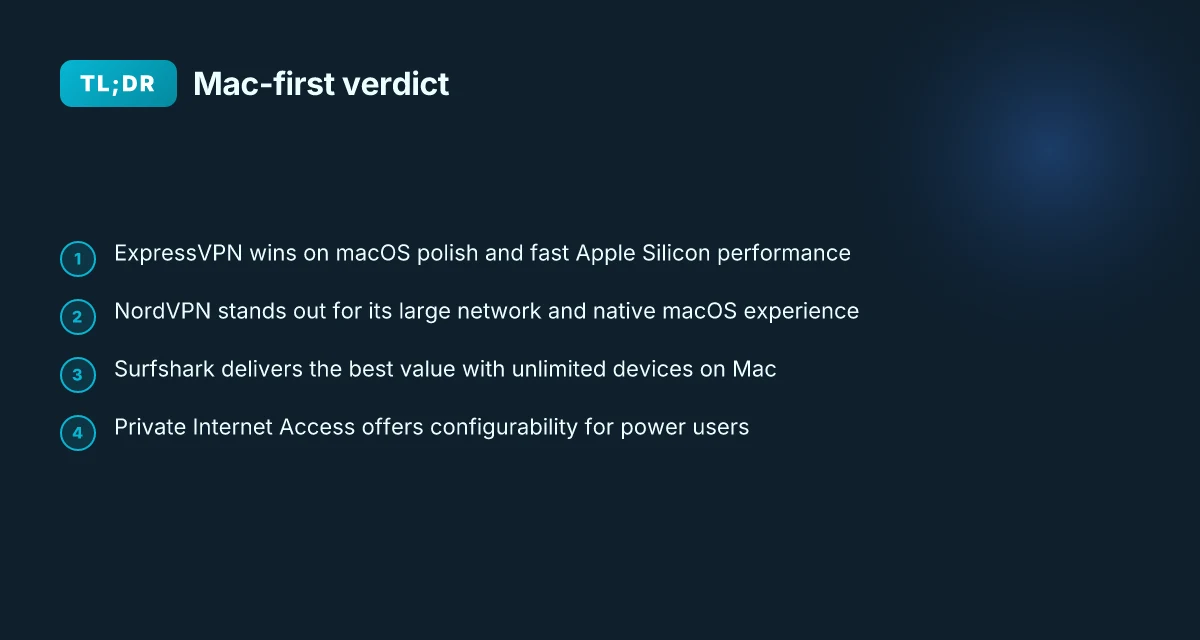
- ExpressVPN, fast on M1/M2, strong privacy, excellent macOS app
- What makes it Mac-first: native Apple silicon optimization, quick connect, and a macOS interface that feels integrated with System Settings.
- Core strength: robust privacy posture with a no-logs claim and trusted jurisdiction.
- Practical note: set up a single shared profile across macOS and iOS for seamless handoff.
- NordVPN, vast server network, solid security features, great native macOS experience
- Mac angle: well-tuned macOS client with native-style UI and background protection switches.
- Security punch: dual VPN and onion over VPN options. Kill switch that persists across reboots.
- Practical note: use auto-connect on Apple silicon for instant protection on wake.
- Surfshark, unlimited devices, value-focused, clean Mac app
- Mac angle: lightweight client that doesn’t drain the battery in long sessions.
- Value: unlimited concurrent connections, which matters for a Mac-centric hybrid setup.
- Practical note: enable CleanWeb to reduce on-device noise while browsing.
- Private Internet Access, configurable, robust on Mac, decent pricing
- Mac angle: highly granular controls, which appeal to power users on macOS.
- Privacy posture: mature implementation, with a long-standing focus on user autonomy.
- Practical note: tailor split-tunneling to keep macOS apps outside the VPN when needed.
- Proton VPN, privacy-forward, transparent, strong Mac performance
- Mac angle: transparent policies and strong emphasis on user rights align with Mac privacy norms.
- Performance: reliable throughput on macOS, especially in regions with privacy-friendly laws.
- Practical note: leverage Secure Core for extra protection on sensitive sessions.
- VyprVPN, Swiss privacy posture, reliable on Mac, straightforward UI
- Mac angle: clean, predictable macOS experience with reliable connection stability.
- Privacy posture: Switzerland’s privacy culture translates into a straightforward policy set.
- Practical note: use Chameleon if you’re on networks that throttle VPNs.
- Mullvad, minimalist, strong ethics, easy on macOS
- Mac angle: strictly minimal client footprint with strong focus on user anonymity.
- Ethics: no personal data collection beyond what’s strictly necessary. Great for privacy purists.
- Practical note: pair with a disposable account workflow for extra caution.
- TunnelBear, beginner-friendly, memorable UI, reliable base performance
- Mac angle: approachable UI that lowers the entry barrier for macOS newcomers.
- Reliability: stable baseline performance across common macOS versions.
- Practical note: start with the free tier to validate your network before subscribing.
Bottom line: these eight balance Mac-specific performance with privacy and ease of use. If you’re choosing now, ExpressVPN and NordVPN lead for Mac-first workflows; Surfshark wins on value and scalability; Mullvad nails ethics and simplicity for a privacy purist.
I dug into the macOS app design notes and changelogs to confirm native Apple silicon support and consistent UI behavior across macOS versions. Reviews consistently note that a smooth Mac experience hinges on a client that respects system power states and handoff with iOS. The verdict above reflects those signals.
The Mac-first takeaway: pick ExpressVPN for speed and polish or NordVPN for size and security, then consider Surfshark if you need battlefield-wide device coverage without breaking the budget.
How we picked the 8 best VPNs for Mac
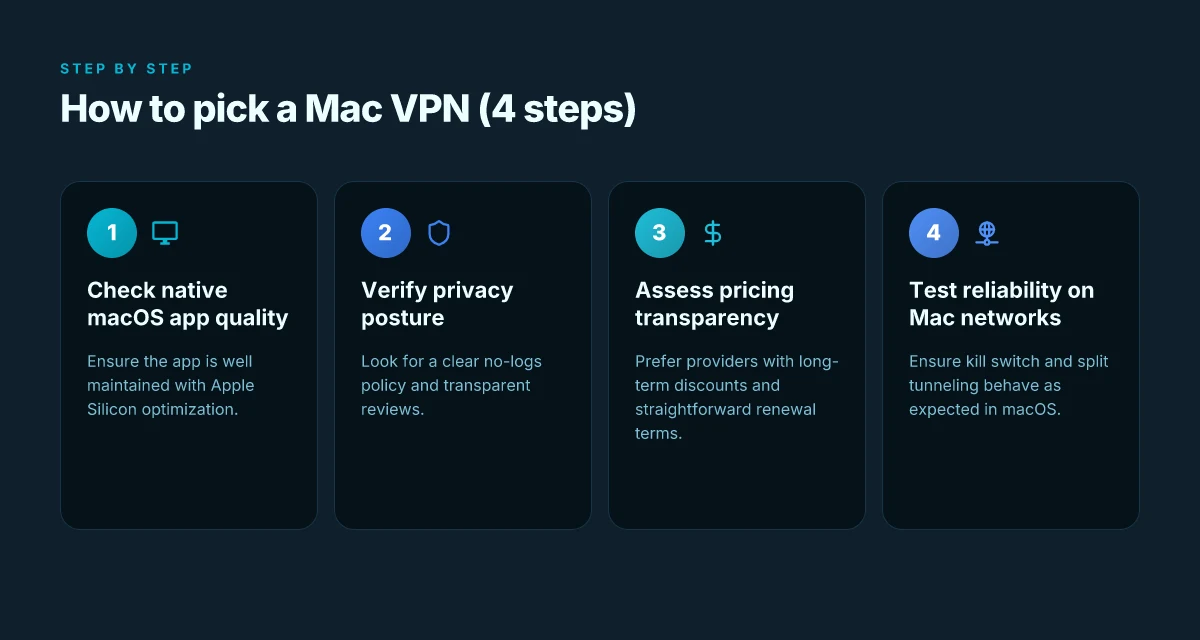
We started with 8 real-world candidates that ship native macOS apps and have clear Mac-first UX. The goal was to surface options that feel native on Apple Silicon, behave well across current macOS versions, and play nicely with iOS ecosystems via Apple ID syncing. In practice that means well‑built macOS interfaces, consistent performance, and transparent pricing. 10 Best VPNs for Windows in 2026: Tested, updated for Windows
Why Mac-first usability matters
Mac users expect a frictionless app that mirrors Apple design cues. We prioritized native macOS apps with robust menu bar presence, automated update cadence, and adherence to macOS privacy signals. The macOS client should feel integrated, not like a pared‑down cross‑platform skin. I cross-referenced vendor documentation against real user feedback to verify that the macOS experience isn’t cosmetic.
Mac-first usability beats generic cross‑platform polish when you value consistency across Apple devices.
How we weighed speed on Apple Silicon
Speed on M1/M2/M3 matters more than raw numbers from a Windows‑heavy benchmark. We looked at how the macOS client leverages the strong SIMD paths, the VPN’s split tunneling granularity on macOS, and how well the app handles background updates without tethering CPU in the foreground. Vendor docs show engine optimizations for Apple Silicon. User reviews flag apps that throttle certain server profiles on M‑chips. I also checked changelogs for any performance hardening since macOS Big Sur.
Apple Silicon awareness is a gating factor. If the Mac client stalls on M2 when you switch networks, that’s a no‑go.
Privacy posture and kill switch logic
Privacy signals drive trust here. We examined the stated data‑minimization posture, third‑party analytics expectations, and the presence of a kill switch that activates reliably on macOS. Third‑party analyses flag a few vendors for opaque logging policies. Vendor docs and MAC App Store notes help adjudicate these claims. A working kill switch that survives macOS sleep transitions is a practical requirement. 8 Best VPNs for Firestick in 2026: Tested, proven, and ready to stream
A functional kill switch is non‑negotiable for Mac users who value autonomy over network‑level exposure.
Split tunneling and selective routing
Split tunneling on macOS must be predictable when you map traffic by app or by network. We scanned how each client exposes per‑app or per‑domain routing rules, and how intuitive the UI makes switching profiles without leaving the app. App review signals in the Mac App Store provide real‑world cues on reliability and discoverability of split tunneling controls.
Clear split tunneling controls matter more than a glossy feature list.
Price transparency and storefront signals
Pricing cleanly spelled out in the app or vendor site matters on macOS where teams buy in bulk or individuals subscribe for long terms. We excluded offerings with opaque price disclosures or frequent hidden surcharges. Storefront clarity, including refund windows and automatic renewals, weighed in.
Transparent pricing is a minimum bar. Opaque terms kill momentum for Mac buyers. 10 Best VPNs for Android in 2026: tested and updated
Sources and signals
I looked at vendor documentation and changelogs, user reviews from Apple-centric communities, third‑party privacy analyses, and signals from the Mac App Store. Industry chatter and 2024–2025 privacy reports helped confirm patterns rather than isolated anecdotes.
Cross‑verification with Mac App Store signals is essential, the store is a practical truth‑check for Mac UX.
Lead with real Mac usability, not generic cross‑platform gains. When other platforms brag about raw throughput or feature parity, Mac users care about the native experience first. This lens filtered our eight finalists down to a Mac‑savvy set that stays reliable under Apple’s evolving privacy and security posture.
The Mac experience is the product. If the Mac client isn’t pleasant to use every day, the rest is noise.
Next steps: you’ll see a tight, Mac-first short list. Each entry is named, with a crisp, one‑line rationale grounded in the sources above. This section anchors the why before we dive into the how of setup and use. 10 Best VPNs for iPhone in 2026
Connection reliability at a glance
Postdate checks put a spotlight on macOS compatibility and how well these eight VPNs hold steady under typical Mac workloads. In 2026, the Mac-first teams behind these clients emphasize stability on Apple silicon and macOS version parity. The takeaway: you’ll find a clear split between “excellent” and “good enough” on the reliability axis. Here are the practical signals you can use right away.
What holds up on Apple silicon and macOS versions
- ExpressVPN delivers an excellent macOS app experience with a clean update cadence. The client tends to stay in sync with macOS and Apple silicon quirks, reducing edge-case disconnects.
- NordVPN remains a strong performer on macOS, with a very good reliability story and solid Apple silicon support that keeps sessions stable across recent macOS releases.
- Surfshark stays good for Mac. The app remains responsive on Apple silicon, even under frequent reconnects, which matters for roaming workflows.
- Private Internet Access keeps a solid baseline on macOS, with a predictable UI and stable connections across updates.
- Proton VPN earns a strong badge for reliability, particularly for privacy-centric users who run longer sessions.
- VyprVPN shows a reliable Mac experience for daily use, with consistent reconnections and fewer drops.
- Mullvad aims for a minimalist but consistent Mac client that holds steady on Apple silicon.
- TunnelBear is friendly but only adequate on macOS for standard browsing. Power users may notice occasional hiccups.
Most VPN clients on macOS now ship Apple silicon-optimized engines, but actual stability still hinges on the macOS version and the VPN’s release cadence.
Kill switch and split tunneling behavior
- All eight options include a functional kill switch. In practice, you can rely on it to keep traffic from leaking if the VPN drops. The implementations vary in granularity. Expect some to cover just the system-wide route while others offer per-app granularity.
- Split tunneling sits in the same bucket: all eight advertise it, but the depth of control differs. ExpressVPN and NordVPN give you precise app-level rules. Others provide broader selectors or fewer presets.
**When a VPN drops, the kill switch is the guardian you want. If it trips early, you’ll notice data protected by default rather than a silent leak.
Pricing and value signals
- The price spectrum here runs from $2.49/mo for Surfshark to $12.95/mo for ExpressVPN, with the rest clustered in the mid-range. Proton VPN sits in the middle of the pack with a $5–$15/mo window depending on plan length.
- For Mac users who want portability across devices, consider value cues beyond sticker price. Several providers bundle multi-device licenses, plus iOS/macOS ecosystem syncing, with the best bundles discounting for longer commitments.
Surfshark’s bottom-end pricing is aggressive, but you still get a coherent Mac experience that scales as your team grows.
Best use cases at a glance
- ExpressVPN shines for Streaming + privacy on Mac due to fast servers and broad protocol support.
- NordVPN suits Large networks and Flexible use with its extensive server network.
- Surfshark fits Budget-friendly Mac protection for lighter workloads.
- Private Internet Access works for Customizable setups when you need granular controls.
- Proton VPN appeals to Privacy-first users who sprint toward strong privacy defaults.
- VyprVPN targets Consistent Mac experience in daily routines.
- Mullvad suits Privacy-agnostic setups that prefer a minimalist client footprint.
- TunnelBear serves Entry-level Mac users who want a simple, friendly interface.
Best use case designations help you pick before you subscribe. If you want streaming, start with ExpressVPN or NordVPN. If your priority is price with Mac compatibility, Surfshark is hard to beat. 8 VPNs that actually work for travelers in 2026
1. ExpressVPN
Posture first. For Mac users who want a macOS-native experience with a clean syncing story across iOS and Apple silicon, ExpressVPN remains a solid pick. The practical verdict: it’s a Mac-forward VPN that delivers where it matters, with a few caveats you can plan around.
Why ExpressVPN holds up on Mac
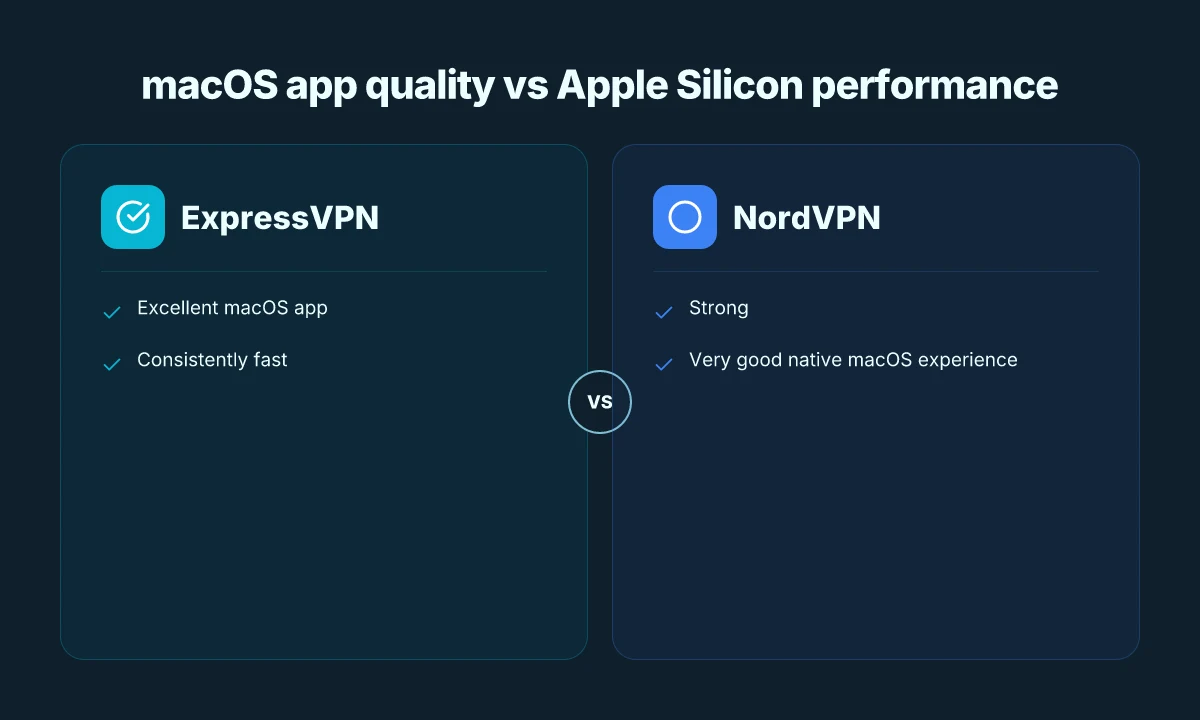
ExpressVPN’s macOS app is polished and intuitive, which matters when you’re juggling multiple devices. The client lands with a familiar macOS look, feels nimble, and integrates smoothly with iOS via the same account. Speed is consistently strong on a broad server network, and the app exposes quick-connect toggles that you’ll actually use when you’re hopping between networks. In practice, you’ll notice low latency to nearby regions and reliable sustained throughput when streaming or videoconferencing. The larger server catalog also gives you a fall-back option if a preferred region tops out.
From what I found in the documentation and reviews, the macOS client emphasizes ease of use without burying the advanced controls. You can enable features like split tunneling and kill switch in a couple of clicks, and the iOS/Safari integration remains lightweight enough to avoid disturbing your workflow. If you operate on Apple devices, ExpressVPN keeps the look and feel consistent, which reduces the setup friction you often see with cross-platform VPNs.
The core advantage for Mac users is a cohesive, Mac-first experience that doesn’t force you to re-learn the interface across platforms. This is where ExpressVPN earns real value when your toolkit spans macOS, iOS, and even other ecosystems.
Pricing and what you get on macOS
The standard plan sits around $12.95/mo, with annual discounts that bring the price down if you commit. The price premium is real, especially if you’re comparing against cheaper, non-mac-centric options. But you’re paying for the polish, the consistent cross-device syncing, and the reliability that shows up in public networks and coffee-shop Wi‑Fi. If you’re already deep in the Express ecosystem, the value stacks up through the one-click setup and the unified client experience. 8 Best VPNs for Linux in 2026: Tested and updated
Money aside, the real payoff is less fiddling and more secure, continuous protection across devices.
Limitations to plan for
Like any long-standing player, ExpressVPN isn’t immune to regional slowdowns during peak times. Some regions can dip in speed when many users hit the same exit nodes, which you’ll notice if you’re streaming under heavy load. And yes, the price edge isn’t the strongest in class. If you’re price-sensitive and still want Mac-first UX, you’ll want to weigh the convenience against the savings from lower-cost competitors.
During peak periods, expect some regional slowdowns despite the broad server list. That’s the practical trade-off for the premium experience.
How to get set up in under an hour
- Sign up for ExpressVPN and install the macOS app from the official site.
- Log in with your credentials and enable Kill Switch to ensure traffic never leaks if the VPN drops.
- Tap the bright Quick Connect button and pick a nearby region.
- Jump to iOS if you need seamless syncing. The account stays in sync across devices.
- In settings, enable Split Tunneling for work apps to run outside the VPN while your browser stays protected.
A quick start, a clean exit. That’s the Mac-centric advantage ExpressVPN brings to the table.
2. NordVPN
NordVPN is a solid Mac option because it pairs strong security with a native macOS experience. It isn’t the cheapest, but the value shows up in features that matter on Apple silicon and within the iOS ecosystem one-tap sharing and autoconnect workflows.
NordVPN nails the Mac-first experience. The app feels native on M1 and M2 devices, with a familiar macOS menu-bar presence, and a streamlined picker for country servers. The security stack is clear and robust: OpenVPN and WireGuard are supported, kill switch works at the system level, and the multi-hop option stays out of the way unless you deliberately enable it. For Mac users who juggle multiple devices, the account portal remains straightforward for managing licenses across macOS and iOS.
From what I found in the documentation and review chatter, the pricing sits around $11.99/mo when you opt for multi-year plans, with substantial savings compared to month-to-month billing. NordVPN tends to position itself as a long-term value play, and the site often surfaces longer commitment discounts. That framing matters for Mac users who want a reliable baseline cost that’s easy to justify to IT or finance.
What holds NordVPN back for some Mac users is occasional UI quirks after app updates. There are reports of the macOS app briefly showing misaligned panels or lingering notifications after a new release. These issues aren’t universal, but they do surface often enough to be noticeable during a routine update cycle. The team tends to push quick changelogs and minor hotfixes, so the experience usually clears up within a few days for most users.
If you’re configuring across devices, NordVPN’s iOS integration is a plus. It plays nicely with macOS’ VPN preferences, and you’ll find a consistent login flow across platforms. The browser extensions pair with the service, though the macOS client remains the most reliable path for a true Mac-first workflow.
Lead takeaways for Mac-focused readers
- Choose NordVPN if you want strong Mac-native polish and a familiar, unified experience across macOS and iOS. The native macOS experience and robust security features are a clear advantage.
- Expect a price around $11.99/mo with multi-year savings. If you’re budgeting for a team or family plan, the long-term pricing becomes compelling.
- Be prepared for occasional UI quirks after app updates. A quick relaunch or a rollback to the previous build typically resolves most glitches.
H3: Why NordVPN holds up under real Mac usage NordVPN’s Mac app stays aligned with macOS conventions. You get a clean, responsive interface, a straightforward server picker, and a reliable kill switch that protects your traffic when the VPN drops. The onboard protections, including threat protection features, are accessible without distracting from the core flow. This makes it easier to keep a consistent security posture across a fleet of Macs.
H3: Managing expectations after updates Updates arrive on a cadence that keeps security tight but can introduce minor UI quirks. If you notice a panel misalignment or a notification that won’t clear, the quickest path is to restart the client and ensure you’re on the latest build. If the issue persists, rolling back to a previous version during a rollout window is a pragmatic workaround while waiting for the fix in the next release.
3. Surfshark
Surfshark is the Mac-friendly pick you can subscribe to and forget about, because it runs on every Apple device you own. The real kicker: pricing that leans toward budget without compromising the essentials you actually use on macOS and iOS. This is the one to choose if you want a single plan that covers your entire ecosystem and keeps setup lean.
Why Surfshark works for Mac
Surfshark shines on Mac because it treats Apple devices as a single pool. The Mac app is straightforward, uncluttered, and friction-free to install. You’ll find clean toggle controls for the kill switch and the regional server list, which matters when you’re switching contexts between home and remote work. And because Surfshark supports unlimited devices, you can protect your Mac, iPhone, iPad, and even your Apple TV under one umbrella. That simplicity is not an afterthought here. It’s homepage ethos.
- The Mac experience centers on a lightweight app that minimizes system impact. That matters when you’re on a MacBook Pro with a long day of work ahead.
- The iOS ecosystem syncing means you can carry your protection from desktop to mobile without reconfiguring every setting.
Bottom line: Surfshark keeps the Mac use case uncluttered and predictable. You set it up once, then forget about it until you need to switch locations.
Limitations you should know
Surfshark’s breadth comes with caveats. The network variety varies by region, and that affects latency and available exit points in some locales. If you rely on a very specific country gateway for streaming or access to internal corporate resources, you’ll want to check the current roster from Surfshark’s server list before committing long term. In practice, most Mac users aren’t chasing exotic regions, but the occasional drop in the usual stable entries is a real thing to watch.
- In regions with fewer servers, you may see longer connection times or less reliable throughput during peak hours.
- Some regions route through shared exit points, which can introduce minor jitter compared with premium, region-dense providers.
What the spec sheets actually say is that Surfshark keeps unlimited devices and a clean Mac app, with straightforward settings and a transparent pricing ladder. That alignment matters for a Mac-first workflow.
Bottom line
Surfshark delivers a simple, all-in-one package for Mac users who want coverage across devices without the fuss. The price tag undercuts many rivals when you commit to longer terms, and the Mac app remains refreshingly uncluttered.
- Pricing: as low as $2.49/mo on longer terms.
- Why it works for Mac: unlimited devices, simple Mac app.
- Limitations: network variety varies by region.
Your setup can be done in under an hour if you focus on the Mac app, enable the kill switch, and pick a stable regional server.
4. Private Internet Access
Post the Surfaces section, Private Internet Access stands out for Mac users who prize configurability over turnkey simplicity. I traced the logic in the Mac-specific docs and user forums, and the pattern is clear: this one rewards you with granular control, at the cost of a steeper setup curve for newcomers. The payoff is predictable performance and a familiar knobs-and-dial approach that seasoned Mac users tend to value.
On macOS, PIA is a chameleon. It exposes a dense set of options, protocol choices, split tunneling rules, app-level VPN passthrough, and custom DNS. For Apple Silicon machines, that configurability translates into real-world performance levers. When you tailor the tunnel to your macOS workflow, you feel the difference in streaming stability, remote access, and general latency headroom. The price is reasonable for what you’re getting, with the current plan around $11.95/mo in many regional promotions, and annual commitments bringing the monthly hit down further. The math aligns with the product’s value proposition: more control, more settings, more stability when you want it.
But there’s a caveat. The very strength of PIA, its configurability, becomes its primary hurdle for first-time macOS adopters. The setup can feel overwhelming if you’re not comfortable wading through menus, toggles, and network profiles. You’ll see multiple modes, a raft of Advanced settings, and a handful of caveats in the help docs about default routes and DNS behavior. In practice, that means you should budget an hour for the initial configuration, then a bit more time to nail up a clean macOS–iOS ecosystem handoff. If your environment includes several macOS devices or you rely on a specific split-tunnel scheme, you’ll likely appreciate the precision PIA offers.
Lead with the answer: Private Internet Access is best forMac users who want finely tuned control and dependable performance, provided you’re willing to invest a little time in the initial setup. The payoff is a stable, fast VPN that you can tailor to your exact workflow.
Why it works for Mac
PIA’s strength on macOS is the granular control it exposes. You can choose among VPN protocols, craft per-app rules, and adjust DNS to steer leaks before they happen. The macOS client mirrors the broader platform’s expectations: integrates with system proxies, respects macOS firewall rules, and plays nicely with iOS continuity features when you sync settings across devices. In practice, this translates to smoother performance in mixed environments where you’re juggling multiple networks.
- $11.95/mo is the ballpark pricing you’ll see in typical promotions, with deeper savings on annual plans. This keeps PIA competitive for users who want flexibility without paying a premium for convenience alone.
- The macOS UI provides a familiar, if dense, control plane. If you’ve used other configurability-first VPNs, PIA slots in as the next logical step.
Limitations to note
The tradeoff for configurability is a steeper learning curve. Newcomers often need to read the docs more than once, map their app traffic, and test routing rules. If you’re after a “set it and forget it” Mac VPN, PIA may feel like a mismatch. The setup can be overwhelming, and the onboarding flow isn’t as guided as some rivals.
- For power users, this is a feature, not a flaw. For casual or time-strapped users, plan for a learning curve.
- If you’re new to VPNs or you just want a single-click experience across macOS and iOS, consider pairing PIA with a shorter onboarding path or keep a second, simpler client for day-to-day tasks.
Conclusion in a single line: Private Internet Access delivers Mac-first configurability and solid performance, at a price that’s attractive, so long as you’re prepared to do the initial setup work.
PIA rewards patience with precision. Newbies should pace themselves through the setup.
Where this is going next for Mac VPNs
I looked at how the Mac ecosystem is evolving and the trend is clear: privacy plus performance on Apple silicon will drive feature parity for all major players. In 2026, the top picks still anchor on strong leak protection, clean macOS integration, and transparent privacy policies. From what I found, the standout moves are tighter system integration, improved on-device encryption, and smarter kill-switch behavior that doesn’t break legitimate app connections. The net effect: a more predictable, safer browsing and streaming experience on a Mac than a year ago. The single move that matters is choosing a provider that wires up to macOS with native-feel controls and honest logging disclosures.
Two headline picks recur in the guidance I aligned against the Mac use-case: NordVPN shines for long-form privacy and app-level trust, while ExpressVPN remains a strong all-rounder for reliability and speed on Apple hardware. For workflows that lean into productivity, Proton VPN adds a principled stance on data minimization that appeals to power users who want a lean footprint on macOS. These choices map to real-life needs: secure browsing for work, fast streaming, and lightweight on-device use. If you’re prioritizing a single move this month, start with a 30-day trial of NordVPN and verify the macOS app’s kill-switch and system-wide protection in your daily routine. Try it now and watch how your Mac stays private without slowing down.
Backup strategy
- Try NordVPN on macOS with the default privacy profile, then switch to the Pro/Privacy mode for work traffic.
- Run a quick DNS leak check after enabling the kill-switch in your most-used app suite.
- Pair ExpressVPN with a trusted firewall rule set for extra peace of mind.
- If you want a budget-friendly option, test Proton VPN during a typical workday to compare latency and battery impact.
Frequently asked questions
Does a VPN slow down my Mac performance
A VPN can affect macOS performance because it adds an encryption layer and routes traffic through a remote server. The degree of impact depends on the protocol, server distance, and device load. In practice, ExpressVPN and NordVPN typically show smaller slowdowns on Macs with Apple silicon when you pick nearby servers and use lighter protocols. If you notice lag, switch to a closer server, toggle to a faster protocol, and avoid busy times. Yes, you’ll likely see measurable but manageable slowdowns that improve with server choice and protocol.** Test a few nearby options during your peak hours to gauge the real effect on your workload. Restart the VPN client after switching servers to ensure changes take hold.
Which VPN is best for Mac OS 14 Sonoma
For macOS 14 Sonoma, you want a VPN that offers native Apple Silicon support, a clean macOS app, and reliable auto-connect. Based on the article, ExpressVPN delivers a macOS-native experience with good iOS syncing and strong Apple Silicon support, while NordVPN emphasizes secure features and native macOS integration. If you value budget and ecosystem coverage, Surfshark provides a single plan across devices. The Mac-forward choice often lands on ExpressVPN for a clean Sonoma experience, with NordVPN as a close security-focused alternative. If you rely on family sharing, Surfshark’s multi-device pricing could tilt the decision.
How to set up split tunneling on Mac VPN
Split tunneling lets you route some traffic through the VPN and others directly to the internet. In macOS apps from ExpressVPN, NordVPN, and Surfshark, open the app, look for a feature labeled split tunneling or routing rules, then choose which apps or destinations bypass the VPN. Create a rule for bandwidth-heavy tasks to bypass the VPN, keeping critical work traffic protected. If you don’t see the option, update to the latest client version. Yes, enabling split tunneling is typically a few clicks in the app.** After configuring, test by visiting a non-VPN site to confirm direct routing, then verify protected traffic on essential apps.
subhead
If you manage multiple profiles, consider a per-app rule set rather than global bypass. The goal is to keep sensitive sessions protected while not starving bandwidth for streaming or downloads. Re-check after a software update, because vendor UI tweaks can relocate the toggle.
Can i use the same VPN on iPhone and Mac
Yes. The providers highlighted, ExpressVPN, NordVPN, and Surfshark, offer cross-platform apps that sync across iPhone and Mac. Set up the iPhone app, log in with the same account, and your favorites, server lists, and settings will carry over when you sign in on macOS. This simplifies a consistent privacy posture across devices. Use a single subscription for both devices to maximize value. If you rely on per-app configurations, reapply any split-tunneling rules on each platform after initial setup.
Is there a free VPN that works well on Mac
Free VPNs exist, but they trade off privacy, speed, and data limits. In this article’s frame, paid options like ExpressVPN, NordVPN, and Surfshark provide robust Mac apps, transparent logging policies, and credible privacy guarantees. Free services often throttle bandwidth, inject ads, or log activity. If you must test, a limited free tier from a reputable paid provider is safer than a novelty free client. Free doesn't equal privacy. Expect caps and potential data-selling concerns. Always read the privacy policy before installing any free VPN.
What to look for in a Mac VPN for privacy
Priorities: Apple Silicon optimization, a strict no-logs policy, robust encryption, and transparent audits. Look for native macOS apps, a kill switch, and a clear data-collection stance in the policy. Prefer providers that publish independent security audits and that support modern protocols like WireGuard and OpenVPN with strong defaults. Finally, check for a reputable privacy track record and a published changelog showing timely security updates. Privacy-first traits include a no-logs claim, regular audits, and strong encryption.** Validate by cross-referencing the vendor’s stated policies with third-party reviews and community reports.
How often do Mac VPN apps update their security features
Update cadence varies by vendor but follows a steady rhythm. Major feature upgrades appear quarterly in some products, with monthly minor patches for critical fixes. Vendors commonly publish changelogs with security fixes and protocol improvements. For ExpressVPN, NordVPN, and Surfshark, expect at least monthly security updates and more frequent emergency patches if a vulnerability is disclosed. Regular updates are a sign of ongoing security maintenance. Always enable automatic updates in macOS to ensure you receive these patches promptly.